
What to do when your website traffic drops
A sudden traffic drop usually has one of five causes. Here's the diagnostic order to find yours fast, before you guess and waste money fixing the wrong thing.
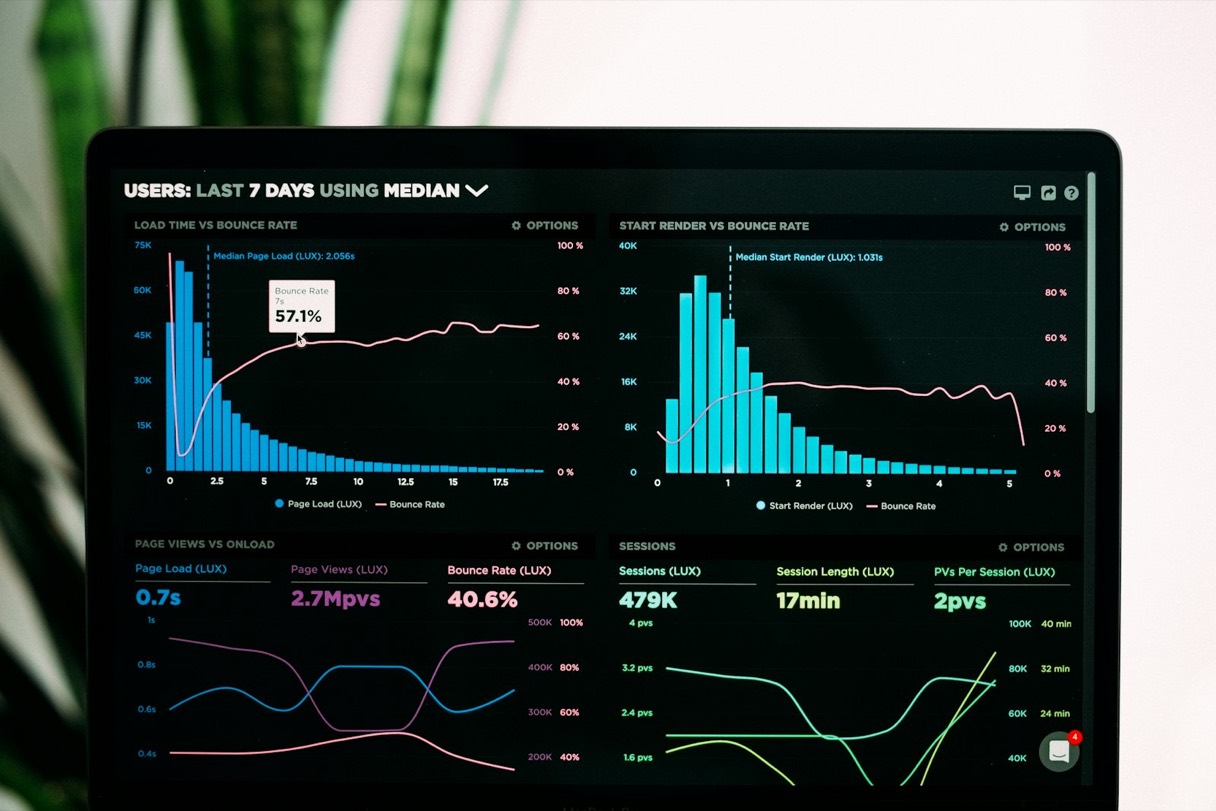
TL;DR — Check Google Search Console first: manual actions, then whether the decline is sitewide or confined to specific pages, then whether it coincides with a site change or a known Google update. Most small-business traffic declines trace back to one of five causes, and you can usually determine which within twenty minutes.
Your traffic declined and you want to know whether it constitutes an emergency. Most of the time it does not, although you will not know until you have looked in the correct places in the correct order. Guessing wastes money, principally because paying somebody to “fix your SEO” before you know what is broken is precisely how small businesses incinerate several thousand dollars solving the wrong problem.
Check these things, in this order
1. Search Console, beginning with manual actions. Log into Google Search Console and navigate to Security & Manual Actions. If a manual action is listed there, that constitutes your answer: something on the site contravened Google’s guidelines — ordinarily spammy links, thin content, or cloaking — and a human reviewer flagged it. This is uncommon for a small local business site, although it takes approximately five seconds to verify and eliminates the most alarming possible cause immediately.
2. Establish whether the decline is sitewide or confined to specific pages. Within Search Console’s Performance report, examine clicks by page across the preceding three months. If one or two pages collapsed while the remainder held steady, that is not an algorithm problem but something specific to those pages: outdated content, a title tag somebody altered, or a competitor who has just published something better on the identical topic. If every page declined simultaneously, that indicates something larger — a technical fault or an algorithm update.
3. Establish whether anything on the site changed immediately before the decline. This is the most frequent cause we encounter and the easiest to overlook, because it is often something that felt entirely unrelated. The usual candidates are a redesign that altered URLs without establishing redirects, a “quick fix” that inadvertently left a noindex tag sitting on a template, a robots.txt edit that blocked considerably more than was intended, a plugin update, or a hosting migration. Align the date of the decline against your site’s change history — git commits, CMS revision history, or simply whatever you touched that week. If they coincide, you have located it, and the remedy is usually mechanical: restore the redirect, remove the block, revert the tag.
4. Examine your Google Business Profile, assuming local search matters to your business. If a substantial portion of your traffic arrives from Google Maps or the local pack, log into your Business Profile directly rather than relying on Search Console alone. Suspensions have become more frequent during 2026, because Google’s spam detection has grown stricter, and circumstances as ordinary as a burst of rapid edits to your hours, or a name incorporating a keyword (“Jim’s Plumbing - Best Plumber Pasadena”), can trigger an automatic review. If your profile displays as suspended or under review, that alone can account for a considerable decline, since Maps traffic frequently outweighs organic search for local service businesses. Reinstatement demands genuine documentation — a utility bill or business license displaying your name and address — and ordinarily requires one to three weeks. Do not create a replacement profile while you wait, because doing so forfeits the reviews and history attached to the original.
5. Determine whether a known Google update is responsible. Google announces core updates and confirms rollout dates on its Search Status Dashboard. If your decline commenced on or immediately after a confirmed rollout date, and it affected multiple pages rather than one, that constitutes your cause. Note how long these actually take: the May 2026 core update ran for eleven days and twenty-one hours, and the August 2026 spam update for nearly three days. Rankings fluctuate substantially throughout that window, so a decline appearing on day two of a rollout is not yet a result. The honest bad news is that no quick remedy exists for a core update, because it represents Google reweighing what good content looks like, and the only genuine response involves improving the actual content on the pages that declined — more specific, more useful, more evidently written by somebody who knows the subject — rather than applying a technical trick. Allow a full week after the rollout concludes before drawing any conclusions.
What’s probably not the cause
Seasonality receives a great deal of blame and is genuine for certain businesses — landscaping, tax preparation, holiday retail — but it ought to look familiar. Retrieve the equivalent months from last year in Google Analytics. If last November resembled this one, the pattern is seasonal and not worth panicking over. If this November resembles last November not at all, it is not seasonal, and you are returned to the four causes above.
A competitor “stealing” your ranking is likewise usually not the actual cause, notwithstanding that it is the first thing people suspect. Somebody else did indeed outrank you, but not by deceiving Google: they published something more thorough, faster, or better matched to what the searcher actually wanted. The remedy there is identical to the remedy for a core update — improve the page, rather than optimizing it further.
What we’d actually do first
If you telephoned us about a traffic decline, the first thing we would request is Search Console access, rather than a description of the problem. Twenty minutes spent inside that tool communicates considerably more than an hour of unstructured speculation. If the answer turns out to be that your content needs to be better, that is not an enjoyable answer, and it is not one resolved by anybody claiming they can restore you to page one by next Tuesday. It gets resolved by writing something genuinely more useful than whatever is currently outranking you.
If you run a practice
Pasadena Works helps independent medical, dental, and eye care practices in the San Gabriel Valley get more patients and run a calmer front office. We are paid by the practice and nobody else, so we will tell you when something is not worth what it costs.